
Adfluence
ProductTemplatesExamplesPricingPartnersHelp
Sign inStart free
ProductTemplatesExamplesPricingPartnersHelpSign in

3 min · Getting started

Publish your store

A draft store is private. Publish to make adfl.to/@yourhandle public.
Start free
Help / Getting started

01

Check the phone preview

Open Store and review the phone preview. Confirm name, description, and at least one product.
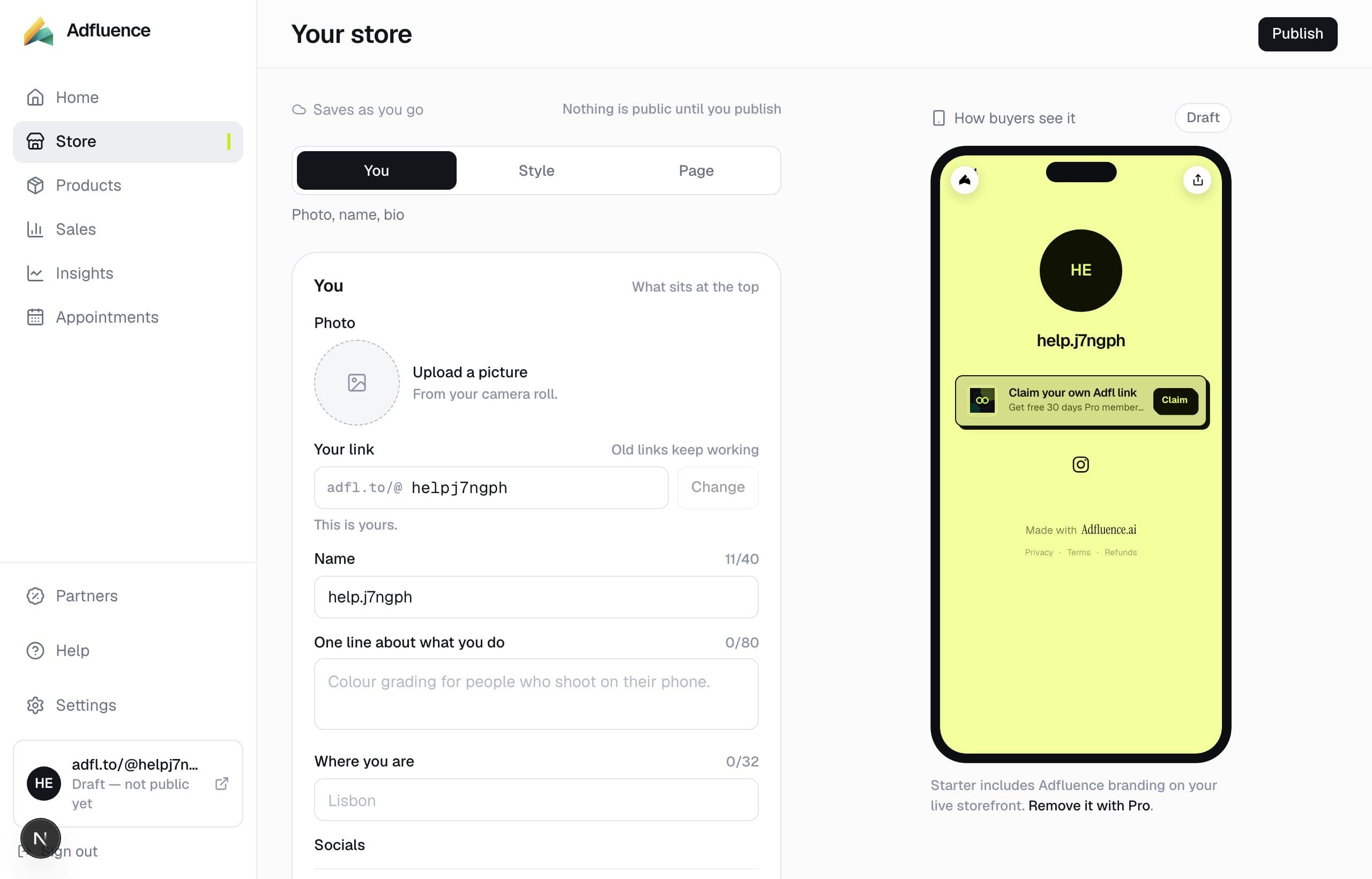
Store builder in Studio

02

Publish

Publish from Store. The draft badge in the sidebar goes away. Your public URL is adfl.to/@yourhandle. Custom domains are not available yet.
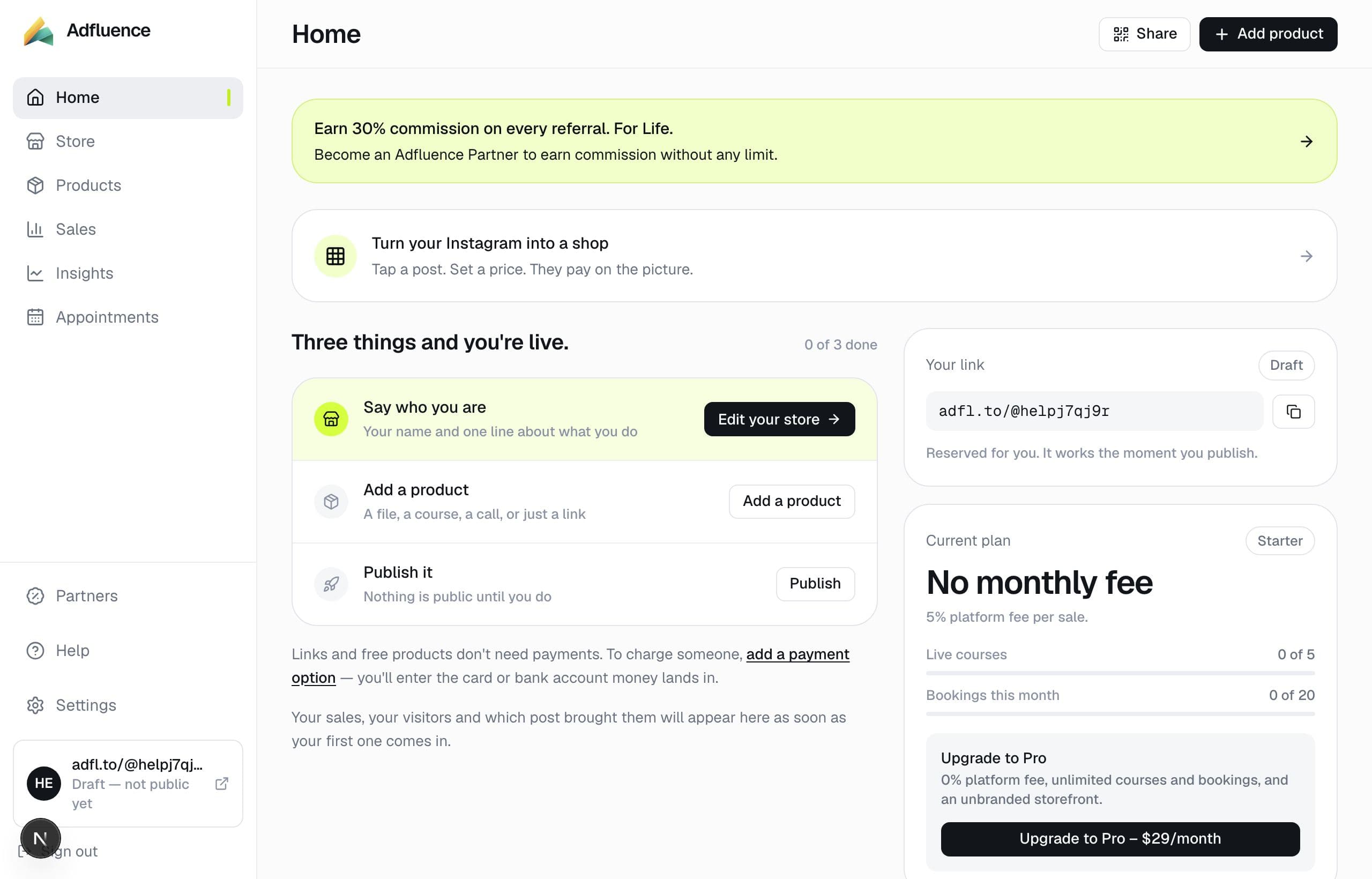
Studio home — what to do next

Related articles

  • Put your store in the Instagram bio

    4 min

  • Set up your store

    5 min

  • Change your handle

    3 min

All help · Guides · Payments

Questions

Frequently asked questions

Can I unpublish?
Yes. Store has the same control. The handle stays yours. Old links still reach you if you change the handle later.

Support

Contact support

Email support@adfluence.ai. Include your store handle. For a missing purchase, include the order reference from the receipt.

support@adfluence.ai

Starter is free. 5% of sales until Pro. Buyers pay your Stripe, Razorpay, or PayPal account.

Start free
Adfluence

Store-in-bio for creators. Digital products, courses, and coaching. Settlement to your payment account.

Stores live at adfl.to/@yourname

Product

  • Product
  • Payments
  • India / UPI
  • Sell
  • Case studies
  • Templates
  • Example stores
  • Pricing
  • Partners

Compare

  • Compare
  • vs Stan Store
  • vs Gumroad
  • vs Linktree
  • vs Beacons
  • Guides

Company

  • About
  • Help Centre
  • Guides
  • Terms
  • Privacy
  • Cookies

Help

  • Articles
  • FAQs
  • Get started
  • Get paid
  • Partners
  • For buyers

© 2026 Adfluence. Software for creator commerce. Buyers pay the creator's payment account.

support@adfluence.ai